How to
Two steps from you. OneLake Guard does the rest.
Identity is service principal only (not managed identity). Nothing leaves your Fabric / Azure tenant — results stay in the Lakehouse you choose.
-
Deploy the container with a service principal
Install from Azure Marketplace (public or VNet-integrated ACI). Configure API_AUTH_KEY and service principal credentials for Fabric. Choose Daily at a set time (hour/minute) or API only (POST /run — no automatic cron). Managed identity is not used.
-
Grant access to monitored workspaces + output Lakehouse
Assign the service principal Viewer on workspaces to monitor and Contributor on the output workspace / Lakehouse you selected.
Then OneLake Guard runs on your trigger
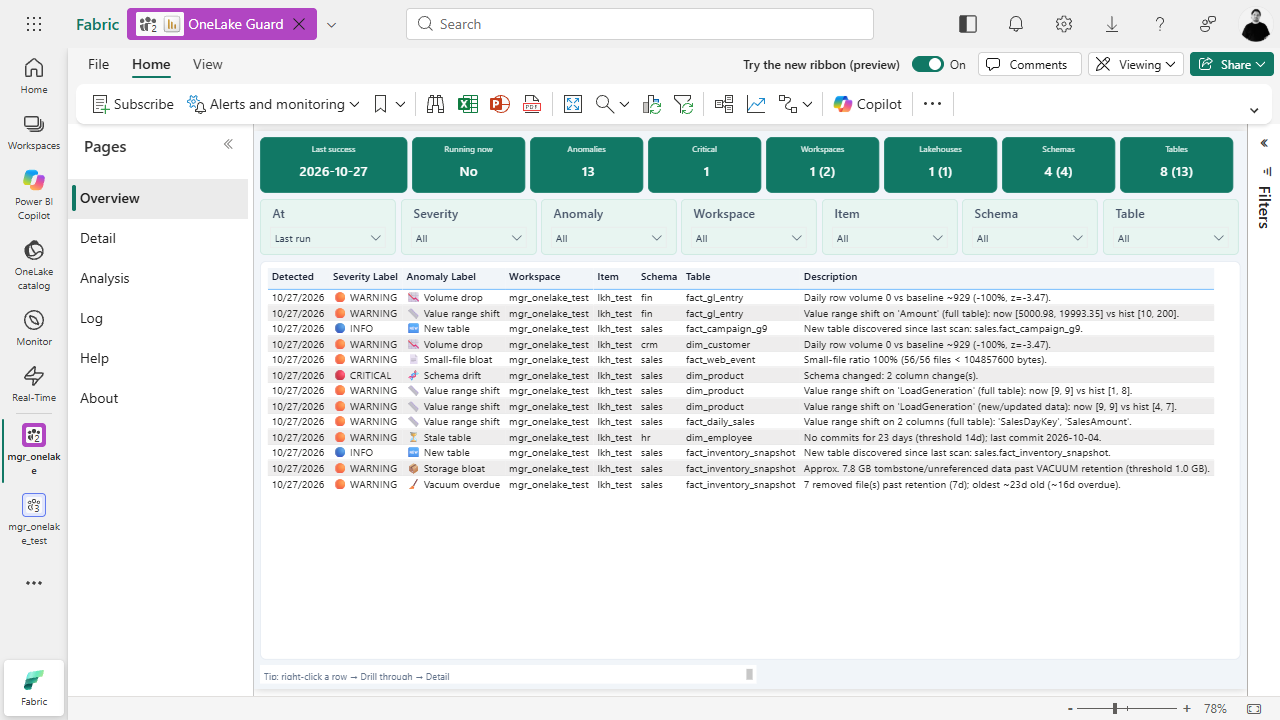
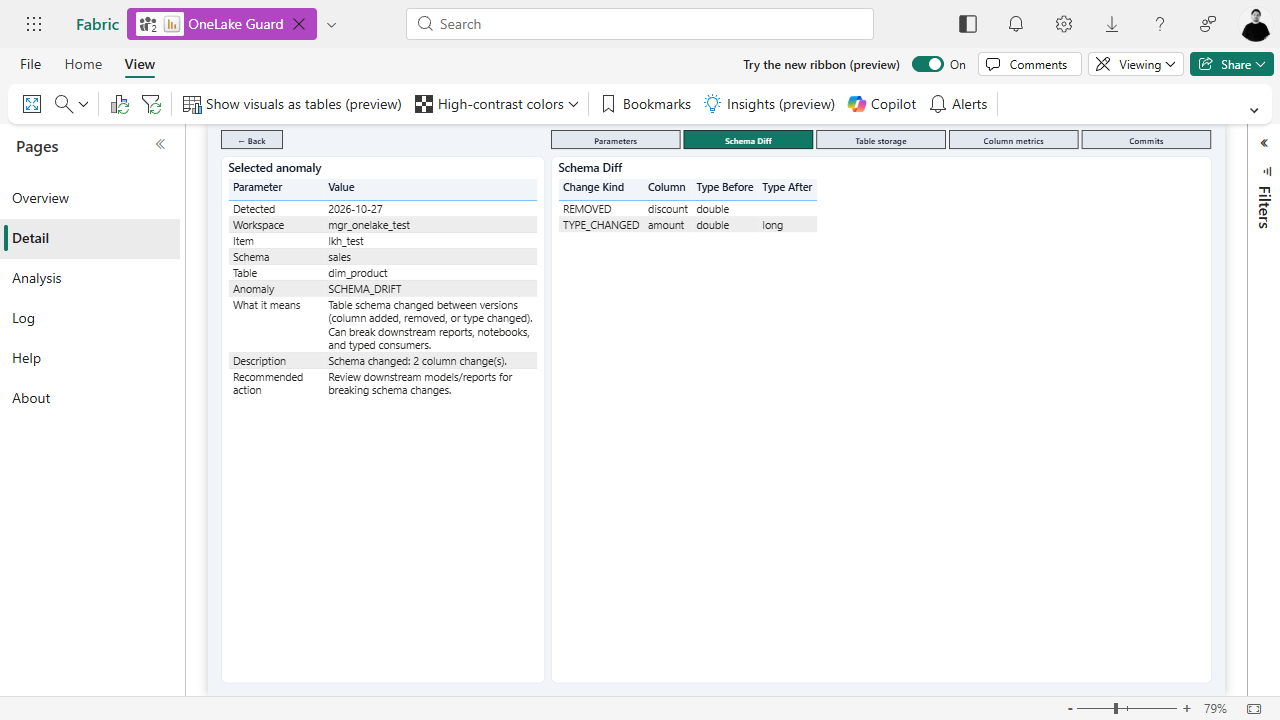
On each scan (scheduled cron or POST /run) it discovers Delta tables, runs detectors, writes results back into the selected output Lakehouse, and surfaces them in the deployed Direct Lake Power BI report. API runs can optionally scope to a workspace / item / schema / table; list in-flight scans via GET /runs/active — see FAQ — Control API.
Nothing goes outside Fabric. No external SaaS data plane — scan output and the report stay in the customer’s Azure / Fabric environment.
Inside Fabric
Lakehouse + report in your workspace
Ready to install?
$49 / month license — container infra billed separately.